How To: User Roles
How to add Roles to a User
- Navigate to the Users DataGrid in the left-hand menu. You can refer to the DataGrid guide by clicking here.
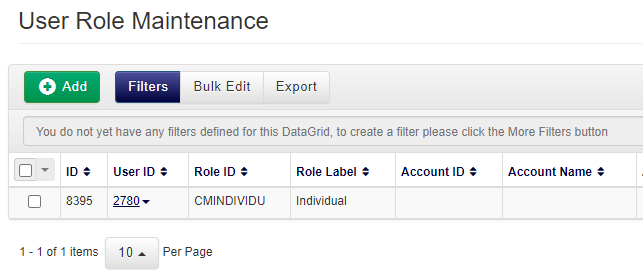
- To add a new Role to a User, click the Add button. You will be presented with the following dialogue window:
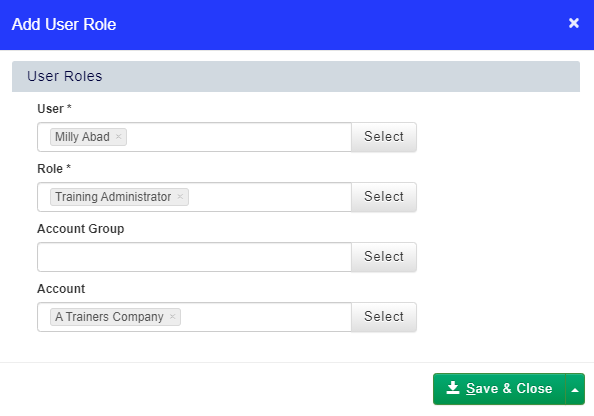
- Add the Role you wish to assign to the User, and then select the Accounts or Account Groups you want them to have this Role over.
- Click Save & Close to save your changes.
How to delete or remove a Role
- Navigate to the Users DataGrid in the left-hand menu.
- Right click on the User and select Roles from the context menu.
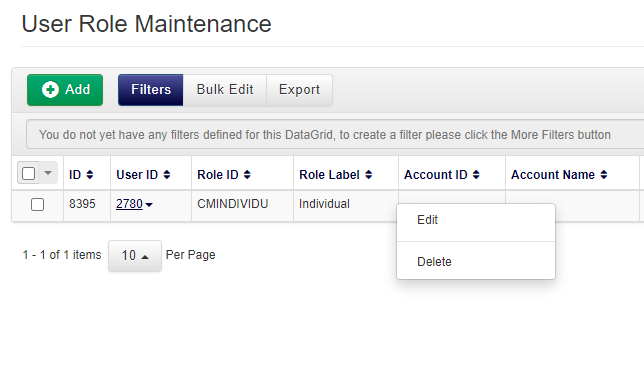
- Right click on the Role you want to remove, then select Delete.