Report Engine Overview
Learn about the Report Engine
Search the Knowledge Base
Supporting Resources
About Report Engine
The Report Engine is your central reporting tool for pulling meaningful insights from across your platform. It allows you to:
Build custom reports using real data
Combine multiple gadgets to display different views of your data
Export and share reports manually
Schedule and automate report delivery via email
Whether you need a breakdown of Delegates, Courses, Invoices, or Resources, the Report Engine lets you analyse, visualise, and share that information efficiently.
Benefits
Here are the benefits of using the Report Engine
Centralised reporting | All your data lives in one place - you can build reports across modules such as Courses, Bookings, Invoices, Resources, and more, directly within your platform. |
Flexible visualisation | Reports are made up of gadgets (e.g. DataGrids, Summaries, Statistics), letting you present data in the most useful format for your audience. |
Export and share easily | Reports can be exported to Excel or PDF, making it simple to analyse, share, or archive your insights. |
Automated scheduling | Schedules let you send reports automatically by email on a recurring basis, keeping stakeholders informed without manual effort. |
Filter precision | You can apply report-level filters and gadget-specific filters to drill into exactly the data you need. |
Key Terms and Glossary
Report | A saved collection of gadgets that draws data from one or more modules and applies filters to display meaningful insights |
Gadget | A component within a report that displays data in a chosen format (DataGrid, Summary, Statistic, etc.) |
Report Filters | Filters applied at the Report level that can influence all gadgets in the report |
Gadget Filters | Filters specific to an individual gadget that refine the data that gadget displays |
Schedule | An automated rule that emails the report regularly in PDF format |
Instance | Each occurrence of a scheduled report being prepared and sent |
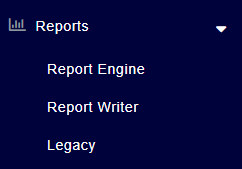
Where to find the Report Engine
Creating a new Report Engine report
From the Report Engine DataGrid, select 'Add Report'
Provide a name for your report
Choose the main module (e.g. Invoice, Booking), this is where in your platform data will be pulled from
Provide a description for your report, so that yourself and others understand it’s purpose later
Save the report
Click the ‘Filters’ button to define your report filters
Report-level filters define the dataset across all gadgets (when enabled). For example, filter by course date range, status, or other criteria to refine results across the whole reportClick ‘Add Gadget’ to add gadgets to your report and configure each with fields, filters, and display options
Gadgets are the building blocks of a report. There are three types available:DataGrid - tabular rows of data
Summary - grouped summaries with totals or counts
Statistic - key number indicators
Sharing Reports
Cloning Reports
Exporting Reports
You can export your Report Engine reports directly to Excel or PDF, so you can analyse, share, or manipulate your data outside your platform more easily.
How to export reports
Scheduling Reports
Reports can be scheduled to send via email. Scheduled reports are sent in PDF format, allowing you and your stakeholders to receive updates about your Courses, Bookings, and Finances, automatically!
How to create a schedule
Top tip!
There is a ‘Status’ column is now available in the Report Engine DataGrid which gives you instant visibility of whether a report has any active schedules.
If at least one schedule is active, the status will display 'Active'
If no schedules are active, the status will display ‘Inactive’
Monitoring Schedules
How to monitor a schedule
Please note
Your Report Schedules will update the 'Last Updated' and 'Updated By' columns in the Report Engine DataGrid. When a Report Schedule runs, whether it’s a one-off schedule or a repeating one, certain report settings are refreshed, which in turn updates these two columns.
How to cancel a schedule
Standard Reports
The following standard reports are available as standard, for you to use, or clone and edit!
Standard Report: Booking Summary (Last 6 Months)
Get a high-level overview of your recent booking activity. This report includes the number of bookings made, total booking value, bookings that included discounts, and monthly booking trends. You'll also see which customers are making bookings most frequently, plus a snapshot of your most recent bookings.
Standard Report: Course Attendance (Last 6 Months)
This report shows the number of Delegates who completed Courses vs those who didn't attend, trends over the past six months, and breakdowns by Course. Ideal for identifying engagement patterns or Courses with attendance issues.
Standard Report: Course Date Availability (Next 90 Days)
This report highlights which Courses are available, which are fully booked, and your average fill rate. You'll also see a detailed list of all upcoming Courses, including those with low fill rates (under 50%) and any that have been cancelled.
Standard Report: Course Profitability (Last 12 Months)
This report summarises total income, expenditure, and profit, then breaks profitability down per Course. You'll also find monthly income trends and a top 10 list of your most profitable Courses over the past year!
Standard Report: Best Selling Courses (Last 12 Months)
This report ranks your best selling Courses based on income generated, number of delegates trained, and how well each Course has filled. This is a great tool for planning future Course offerings or focusing your marketing efforts.
Standard Report: Account Balances
This report shows outstanding balances by customer, the number of invoices with payment outstanding, and the total amount overdue. A useful reference for credit control and account follow-up.
Standard Report: Big Spenders (Last 12 Months)
This report lists the total amount invoiced per Account over the last year and shows the date of their most recent booking. A valuable tool for identifying key customers and planning retention or upsell strategies.
Standard Report: Recently Created Invoices (last 7 days)
This report lists all Invoices generated in the last 7 days and includes helpful summary statistics like the total number of Invoices, the combined value, and how much has been paid so far. A useful snapshot for keeping on top of recent billing activity.
Standard Report: Recent Admin Activity (last 7 days)
Keep track of platform engagement with this report showing Admin activity over the last 7 days. You'll see who's been adding or logging Notes, uploading Files, and recording Communications.
Standard Report: Upcoming Expiring User Awards (next 30 days)
Use this report to see which User Awards are due to expire in the next 30 days. Ideal for identifying Delegates who may need to requalify or refresh their training before their certification lapses.
Standard Report: Active Administrators
This report lists all Users with a main role of Training Administrator or Super Administrator. You'll see key details like current status and last login date, perfect for tracking who's engaged, and if there are any active administrators that have not logged in for a long time.
Standard Report: Delegate Cancellations (last 6 months)
This report gives you a clear overview of Delegate cancellations over the last 6 months, summarised by customer, month, and Course Template. A useful report for spotting trends or identifying areas for improvement.
Standard Report: Recently Created Accounts (last 30 days)
Use this report to see newly created Customer Accounts, including their most recent booking, address details, and any active Invoices. Ideal for monitoring new business.
Standard Report: Opportunities Overview
This report gives you a snapshot of current and recent sales activity, showing open Opportunities, recent wins and losses (last 7 days), Opportunities by stage, and by assigned User. A list of open Opportunities sorted by closing date helps with prioritisation. Note: Before using this report, check that the sales stages used in the filters match your custom setup.
Standard Report: Overdue Task Summary
See how your team is handling their workload with this report, which highlights the number of overdue Tasks per team member and by Task Type. Use it to spot bottlenecks or areas that may need support, and review the full list of overdue Tasks in order of due date.
Standard Report: Delegate No Attends (last 6 months)
This report gives you a clear overview of 'No Attend' Delegate over the last 6 months, summarised by customer, month, and Course Template. A useful report for spotting trends.
Standard Report: Course League Table (last 12 months)
Compare performance across all your Course Templates with this detailed report. It shows how many times each Template has run in the last 12 months, how many Delegates were registered, total income, forecast profitability, and average fill rate. Great for strategic planning and reviewing the performance of your course catalogue.
Standard Report: Recently Created Opportunities (last 7 days)
This report lists all Opportunities created in the last 7 days, with key details including expected revenue, Opportunity source, current sales stage, and the assigned team member. A helpful tool for reviewing new leads and tracking early pipeline activity.
Standard Report: Evaluating Opportunities (last 12 months)
Track your sales funnel performance over the past year with this report. It shows how many Opportunities were created each month and the total expected revenue, plus breakdowns by source and current sales stage. This report is great for spotting patterns and identifying successful lead sources.
Standard Report: Invoices Due Soon (next 30 days)
Stay ahead of upcoming payments with this report showing all Invoices due in the next 30 days, sorted by due date. You'll see each Invoice's status, target Account, amount paid, and invoice address. Ideal for chasing payments.
Standard Report: Amount Invoiced per Month (last 12 months)
This report gives a monthly breakdown of Invoices generated over the past year, showing how many were raised each month and the total value and total tax. A great way to monitor financial trends and review invoicing performance over time.
Standard Report: Recently Created Users (last 30 days)
See a list of Users recently added to the platform, sorted with the newest at the top. You'll find helpful details such as name, linked Account, status, last login date, and last booking. Perfect for tracking the journey of your new customers.
Standard Report: Recently Created Communications
This report gives you visibility of all Communications recorded in the last 30 days, both system-generated (like automated emails from Workflows or emails sent from DataGrids) and manually logged (like call notes or personal follow-ups). Useful for keeping a record of all touchpoints with your customers.
Standard Report: Recently Created Notes
Review recent activity with this list of Notes logged in the last 30 days, with the most recent shown first. You'll see who recorded each Note, what it relates to, and the full note content. A handy tool for keeping track of internal updates and interactions.
Standard Report: Resource Utilisation (last 6 months)
This report shows how often each Trainer, Venue, and other Resources have been used in the past 6 months. Great for reviewing usage and planning future allocation. Note: Before using this report, check that the Resource Types used in the gadget filters match your custom setup.
Standard Report: Evaluating Invoices (last 12 months)
This report looks at Invoices and Transactions from the last 12 months, great for spotting invoicing trends, monitoring transaction method and discount usage.
Standard Report: Basket & Booking Trends (last 12 months)
This report shows bookings made over the past 12 months, helping you spot trends such as monthly booking volumes, the use of discounts, and the popularity of course templates and bundles. It also includes a detailed list of bookings, displayed with the most recent first.
Standard Report: Invoices Overdue
This report includes the number of overdue Invoices, the total outstanding value, and a list of all overdue invoices. It is perfect for chasing late payments and managing cash flow.
Standard Report: Upcoming Courses (next 14 days)
This report shows all Courses starting in the next 14 days, including how full each one is, how many tasks are still incomplete, and an estimated profit forecast.
Standard Report: Recently Completed User Awards (last 30 days)
This report lists all User Awards issued in the past 30 days following course completions. A handy overview for tracking recent Delegate completions and monitoring Award trends across your Courses.
Standard Report: Course Performance - Year on Year
Compare how your Courses are performing year on year. This report shows last year’s figures alongside this year’s income and estimated profit (year-to-date based on currently scheduled Courses), helping you quickly understand growth, decline, or consistency in performance. It also includes monthly & Course Template breakdowns for both years, showing the number of Courses run, total Delegates trained, and estimated profit per month.
FAQ’s
Can I export a report to Excel?
What formats can I export reports in?
Can multiple people receive scheduled reports?
Will export handle reports with lots of data or gadgets?
Can gadgets use different filters from the report?
If I deactivate a schedule, will pending sends still occur?