Manager Access Overview
The Manager Access area allows you to assign Manager permissions to your Users. Here, you can make Users Managers over any of your Accounts, Account Groups, or over your entire platform.
To learn how to use Manager Access, click here.
Where to find Manager Access
Click on the User Icon at the top right hand side of accessplanit and select Administration: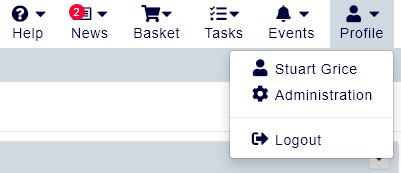
Within this page, click the menu option Manager Access: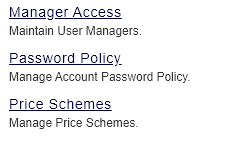
What is a Manager?
A Manager is a Role within the accessplanit platform that comes with a specific set of permissions that lie between those of an Individual and a Training Administrator. Managers are able to access and edit the details of Users they have permission over, view details of the Accounts that have access to, and create new Users within those Accounts. They are also able to book courses for their Users, monitor their training history, and run Reports.
Managers also have access to some of the more advanced advanced features within accessplanit, such as authorising course places for their Users if your accessplanit has the provisional booking functionality enabled, and monitoring Survey Submissions.
Unlike a Training Administrator, however, they cannot create or edit courses, or access certain areas of the platform such as Report Writer or Administration.
To find out how Managers can use the platform, click here.